

We love receiving feedback from our clients and if you are kind enough to leave us a few words on our Facebook page, the good news is that it couldn’t be much quicker and easier to do so.
All you need to do is make sure you are signed in to your personal FB page. Visit our FB page by clicking here and then follow the next 4 steps.
- Click Reviews on the left side of the Page’s Timeline
- Click the grey stars to choose a rating. You can also leave a few words should you wish.
- Choose your audience (Public) and then click Done
To help you along the way, please take a moment to check out the screenshots below which highilght exactly what you should expect to see when leaving a review.
Step 1
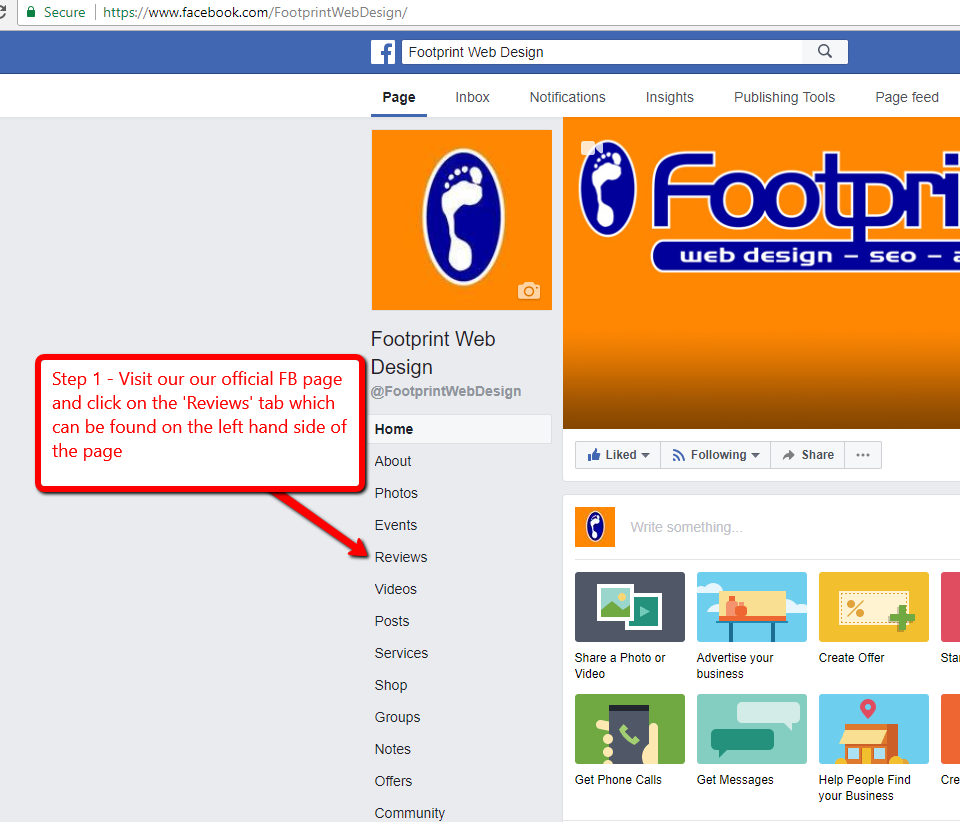
Step 1 – Leaving a review on facebook
Step 2
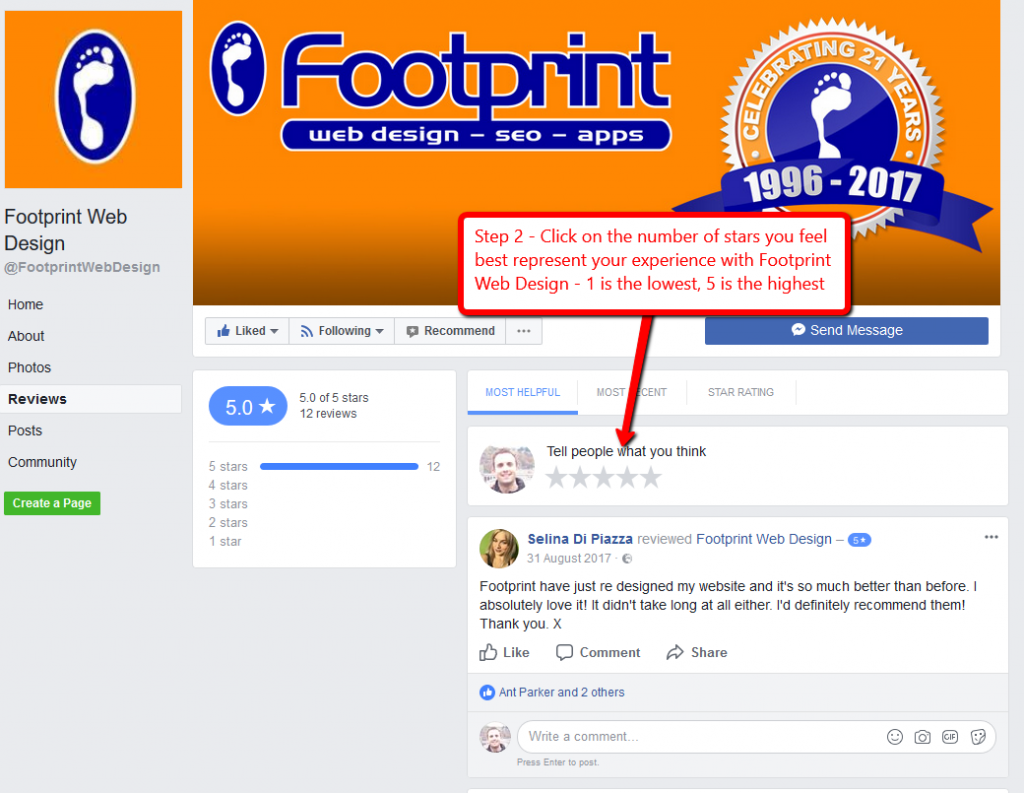
Step 2 – Leaving a review on facebook
Step 3
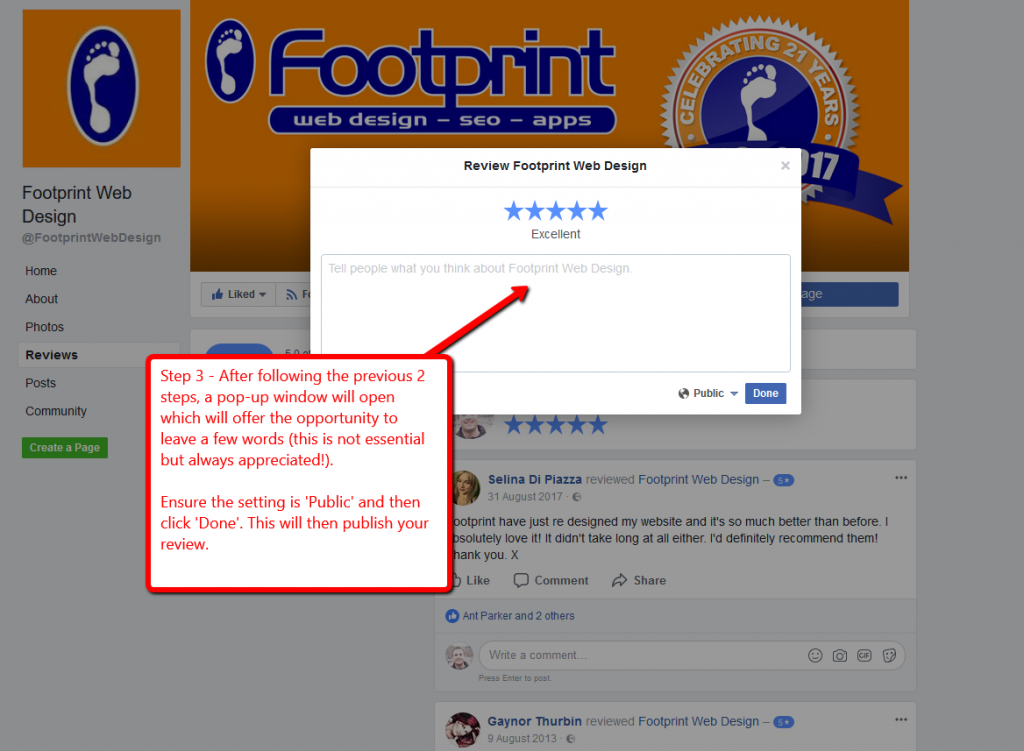
Step 3 – Leaving a review on facebook
Please Note – You can sign in, return and amend your review at any time.
We really appreciate you taking the time to attempt to leave a review and if you have any trouble, we’ll be happy to help. Simply give us a call on Tel. No. 01883 372488 and we’ll help you through the process.
