

How Add An Email Account to Outlook Using Office 365
These steps are the same whether you’re adding your first email account or additional email accounts to Outlook.
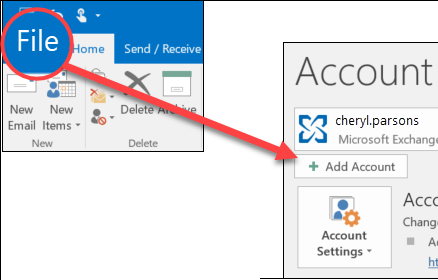
- Select File > Add Account.

- What you see next depends on your version of Outlook.
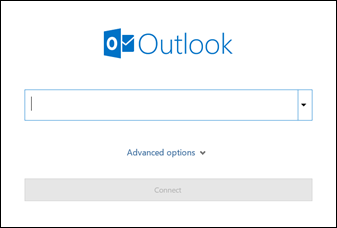
For Outlook for Microsoft 365 and Outlook 2016
For Outlook 2013 and Outlook 2010
Enter your email address and click Connect.
Enter your name, email address, and password, and click Next.
- If prompted, enter your password again, then select OK > Finish to start using your email account in Outlook.

If you need instructions for adding an email account using advanced settings, see Use advanced setup to add a POP or IMAP email account in Outlook for PC.
To update your email settings such as incoming and outgoing server names, see Update your email settings in Outlook for PC.
Outlook won’t accept my password
If Outlook won’t accept your password and you know you’re using the password for your email account, you might have an email account that requires additional security.
Gmail, Yahoo, iCloud, Outlook.com, and AOL accounts all use two-factor authentication to help verify that you’re the person trying to access your email account.
To add your email account to Outlook, you’ll need an app password, also known as an application password. This is a different password than your regular email account password. One way you’ll know you need an app password is if you see the following message: 2-factor authentication is set up for your account. Please sign in using your application password.
The steps to obtain an app password are different for each email provider. Select your provider in the drop-down for instructions.
If you’re using two-factor authentication for Outlook.com, use the following steps to generate an app password.
- Go to https://outlook.com, click your initials in the upper right, and then select View Account.
- Under Security, select Update.
- Under More security options, select Explore.
- Scroll down to the app passwords section, and then choose to Create a new app password.
- Your app password will be displayed on the next screen. Make a note of this password, as you’ll need it when you add your account to Outlook.
- Use the instructions at the beginning of this article to add your account to Outlook, but when Outlook asks for your password, enter your app password.
How To Add An Email Account To Your iPhone, iPad or iPod Touch
There are two ways you can set up an email account in the Mail app on your iOS device – automatically or manually. Learn which option is best for you.

How to set up your email account automatically
If you use an email provider like iCloud, Google or Yahoo, Mail can automatically set up your email account with just your email address and password. Here’s how:
- Go to Settings > Passwords & Accounts.
- Tap Add Account, then select your email provider.
- Enter your email address and password.
- Tap Next and wait for Mail to verify your account.
- Choose information from your email account, like Contacts or Calendars.
- Tap Save.
If you don’t see your email provider, tap Other to add your account manually.

How to set up your email account manually
If you need to set up your email account manually, make sure that you know the email settings for your account. If you don’t know them, you can look them up or contact your email provider. Then follow these steps:
- Go to Settings > Passwords & Accounts.
- Tap Add Account, tap Other, then tap Add Mail Account.
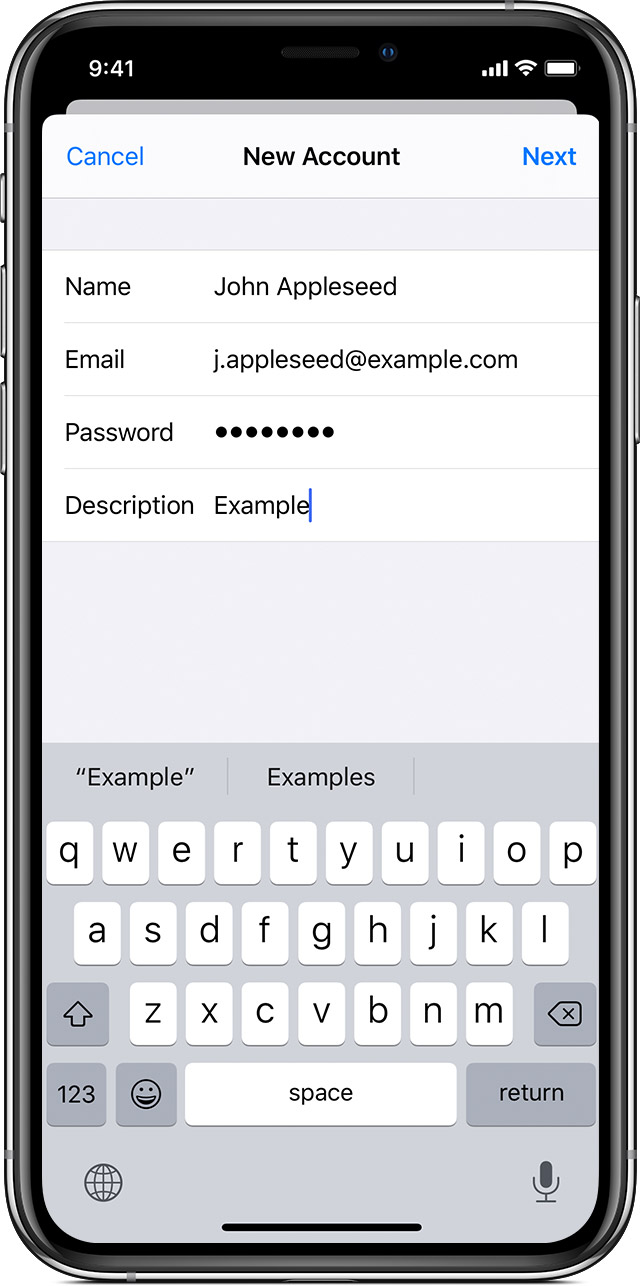
- Enter your name, email address, password and a description for your account.
- Tap Next. Mail will try to find the email settings and finish your account setup. If Mail finds your email settings, tap Done to complete your account setup.
Is your email account set up? Learn more about using the Mail app on your iPhone, iPad or iPod touch.

Enter account settings manually
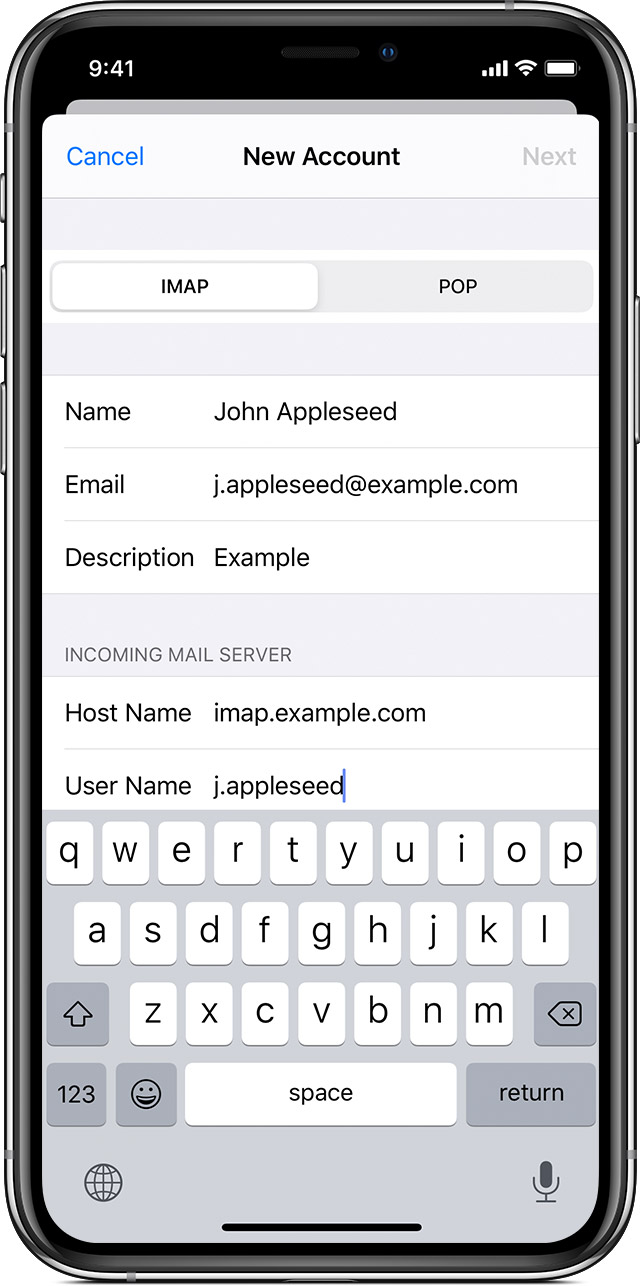
If Mail can’t find your email settings, then you need to enter them manually. Tap Next, then follow these steps:
- Choose IMAP or POP for your new account. If you aren’t sure which one to choose, contact your email provider.
- Enter the information for Incoming Mail Server and Outgoing Mail Server. Then tap Next. If you don’t have this information, try to look it up or contact your email provider.
- If your email settings are correct, tap Save to finish. If the email settings are incorrect, you’ll be asked to edit them.
If you still can’t set up your email account or save your email settings, contact your email provider.
- Learn how to delete email on your iPhone, iPad or iPod touch.
3 Benefits Of A Professionally Designed Website
Some things can comfortably be tackled by DIY experts, websites are not one of these areas!
Whilst some tasks can comfortably be completed by people without huge amounts of experience, web design is not one of those tasks. Whilst Wix, 1 to 1 and other companies have done a wonderful job trying to portray how easy it is to construct a website, the reality of the situation isn’t always quite so easy.
Our team of professional web designers have the required skills set to plan, design and implement a site that meets your expectations. They ensure that it is compatible with multiple browsers, less glitchy and adaptable to different screen sizes. A good site also loads faster minimising inconvenience for visitors, thus enhancing user experience. Slow sites can lead to loss of business as prospective customers turn to other companies. It takes a few seconds for visitors to evaluate a site and decide to leave.
Leaving your website to a professional web designer (such as us!) offers 3 key benefits.
- Improved search engine rankings – Good website layout and overall design, which incorporates key search engine optimisation (SEO) elements boost rankings. Professional web designers implement crawlable link structures, incorporate keywords in menu buttons and more. These techniques are a sure-fire way to boost visibility and traffic.
- Saves time and boosts earnings – Hiring an experienced designer helps create beautiful, functional sites in addition to saving time and boosting income. Companies can focus on other business operational issues and let the designer handle development and site maintenance tasks. On the other hand, optimal site performance boosts the company’s bottom line by attracting new clients and improving customer service.
- Easy navigation creates a positive user experience – A good site is easy to navigate and does not confuse visitors by overloading the pages with visual elements. Font size also plays a crucial role in this regard. Smaller fonts that are barely visible undermine navigation and ultimately the user experience. Professional web designers ensure that navigation is consistent on all pages.
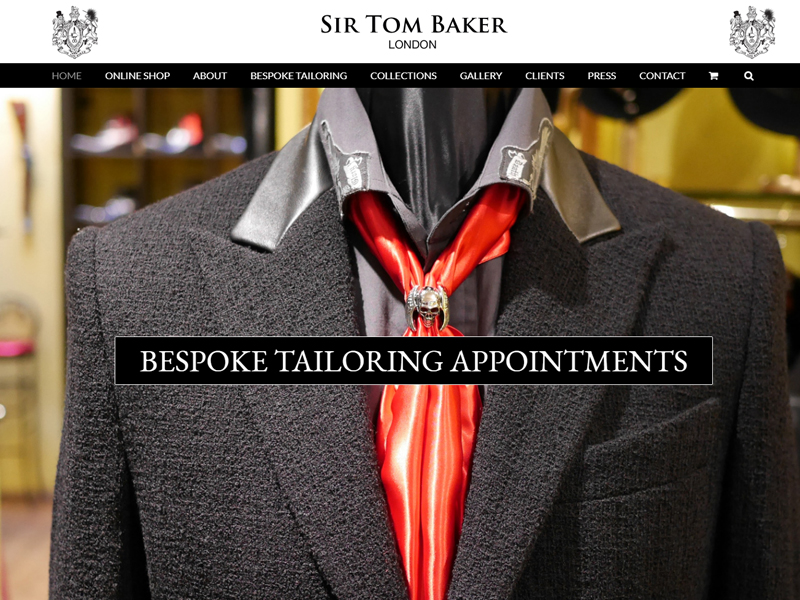
Creating Responsive Designs
A website design solution with simplified code makes it easier to identify bugs that cause glitches. Use of definitions and CSS properties has the capacity to shorten stylesheets. Responsive design is another key aspect that enables sites to adapt to varying screen sizes.
It comes with several benefits, including:
- Easy maintenance
- Improved search engine optimisation
- Higher conversion rates
- Seamless user experience on all devices, including smart-phone, tablets and desktop
- Boosts sales on mobile devices
Footprint.co.uk offers professional web design services that can help you create a fully functional, custom website. Whether you want to maintain an existing site or create a new platform, we have the expertise to handle your project quickly and affordably.
Contact Us
We’d love to talk to you about your project and it’ll cost you nothing to have a chat. Why not give us a call on 01883 372488 or contact us via Facebook to see how we can help your business to create an online presence with our web design services that will help you leave your competition behind.

